Choosing a smart lock isn’t just about finding the model with the most features. The right lock should fit your door, provide reliable security, and match how you actually use it every day.
Here are five key things to consider before buying a smart lock.
1. Choose the Right Lock Type
Before comparing smart features, start with the basics: what type of lock does your door need?
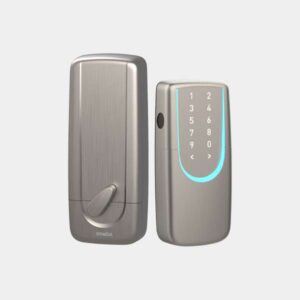
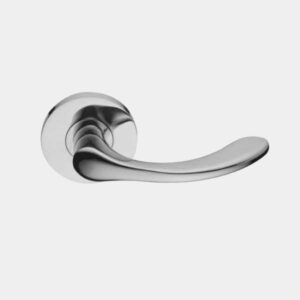
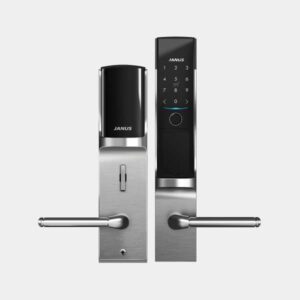
Common smart lock types include:
- Deadbolt locks – Commonly used for residential entrance doors.
- Lever locks – Combine the lock and handle into one unit.
- Mortise locks – Installed inside the door and commonly found in commercial or higher-security applications.
Deadbolt smart locks can also vary in how they are installed. Some attach to an existing deadbolt, some replace only the interior portion, while others replace the complete deadbolt.
Always check your door type, thickness, dimensions, and existing lock configuration before purchasing.
| Lock Type | Common Applications | Key Features |
|---|---|---|
| Deadbolt | Homes, entry doors | Simple structure and commonly used for residential entrances |
| Lever Lock | Homes, offices | Combines the lock and handle |
| Mortise Lock | Commercial spaces, entry doors | Lock body is installed inside the door |
2. Check Both Physical and Digital Security
A smart lock needs to protect against both physical attacks and digital threats.
For physical security, look for recognized standards such as ANSI/BHMA ratings, which evaluate factors such as durability and lock performance.
For connected smart locks, cybersecurity is equally important. Check how the manufacturer protects communication between the lock, App, and cloud services.
Technologies such as AES-128 encryption and TLS/SSL can help protect transmitted data and prevent unauthorized access.
3. Consider How the Lock Connects
Connectivity determines what your smart lock can do.
A lock with built-in Wi-Fi can provide remote features without requiring a separate hub. Depending on the product, this may include remote unlocking, user management, access records, and other App-based controls.
However, connectivity can also affect battery consumption, so consider both remote functionality and power requirements rather than choosing based on Wi-Fi alone.
4. Choose the Access Methods You Actually Need
More unlocking methods do not automatically mean a better smart lock.
Consider who will use the door and how often.
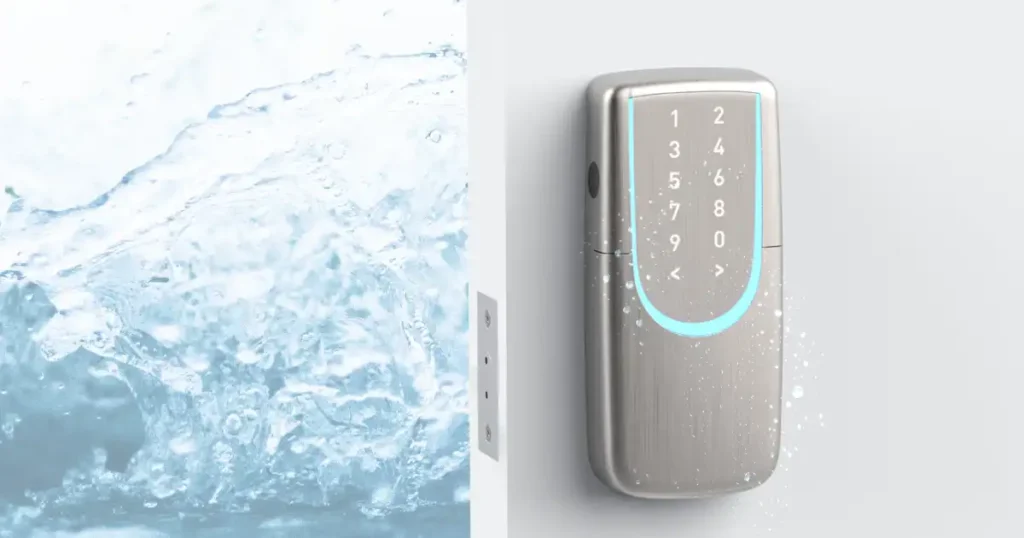
Common access methods include fingerprint, passcode, RFID card, smartphone App, Bluetooth, smartwatch, voice assistant, and mechanical key.
For example, fingerprint or card access may be convenient for frequently returning users, while temporary passcodes can be useful for guests, rentals, or other short-term access.
| Access Method | Best For | Key Benefit |
|---|---|---|
| Fingerprint | Homes, offices | Fast access without carrying a key |
| Passcode | Homes, rentals, guests | Easy to share and manage for different users |
| RFID Card | Offices, regular users | Simple and convenient for frequent access |
| Smartphone App | Homes, rentals, managers | Can support remote control and access management |
| Mechanical Key | Emergency backup | Provides access when electronic functions are unavailable |
5. Think About Everyday Ownership
A smart lock is something you may use several times every day, so long-term usability matters.
Before buying, consider:
- Battery life and low-battery alerts
- Emergency power options
- Mechanical key backup
- User and permission management
- Access history
- App usability
- Installation requirements
- Warranty and after-sales support
The best smart lock is not necessarily the one with the longest feature list. It is the one that provides the right security, access methods, connectivity, and management features for your specific space and users.
Looking for a Smart Lock That Balances Security and Convenience? Meet SGUDA
When choosing a smart lock, convenient access is only part of the equation. Physical security, cybersecurity, user management, and everyday usability should all be considered.
Developed by a team in Taiwan, SGUDA smart locks combine decades of lock manufacturing experience with smart technology to provide access solutions for homes, offices, and rental properties.
For physical security, SGUDA smart locks include an ANSI Grade 3 Deadbolt. For digital security, SGUDA uses AES-128 encryption and TLS/SSL communication security technologies to help protect data transmission and reduce the risk of unauthorized access.
Depending on the model, SGUDA offers access methods including fingerprint, passcode, RFID card, smartphone App, Bluetooth, mechanical key, smartwatch, and voice assistant. App-connected models also support features such as remote operation, user access management, and activity logs—helping users manage not only how a door is unlocked, but also how access is controlled.
Get to know our products
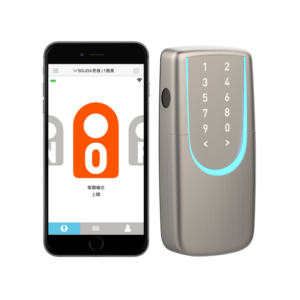
SGUDA App|Fingerprint|Learn More..
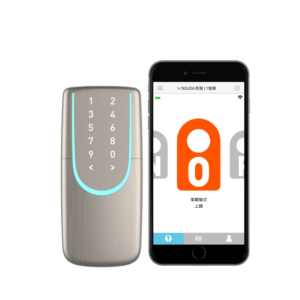
SGUDA App|passcode|Learn More..
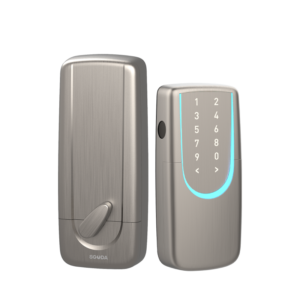
Fingerprint|RFID card|Learn More..